

Re: My Admin Tabs by Scot's Scripts
VERY Nice...
I did something similar on MivaScript.com where a "super user" can login and edit the page "content" directly without going into the admin, but this is a whole new level of cool.
How does the module define a super user?
-
Re: My Admin Tabs by Scot's Scripts
Feature request - be able to edit third party category and product page templates.
LeslieLeave a comment:
-
Re: My Admin Tabs by Scot's Scripts
I've been using this module for about a week now and it's saving me a ton of time! Well worth the simple $25 investment, I wish I had it 10 years ago! Scot tells me he intends to update this module to include multiple admin super users so my employees will also have quick access to update products and pages on our site. Now there's no more excuses for them to come across and error and not update it on the fly! Thanks Scot, keep up the good work!Leave a comment:
-
Re: My Admin Tabs by Scot's Scripts
at the moment...fat, dumb and happy....Leave a comment:
-
Re: My Admin Tabs by Scot's Scripts
ok, yea...missed that...I thought the super user status would log you in...<g>.Leave a comment:
-
Re: My Admin Tabs by Scot's Scripts
If Bruce is happy all is good with the world. :-)Leave a comment:
-
Re: My Admin Tabs by Scot's Scripts
Then again, if you don't have an admin session going, the login screen pops up first, so it's kind of a moot point.Leave a comment:
-
Re: My Admin Tabs by Scot's Scripts
Mostly right- you still have to have an store admin session going for security reasons.Leave a comment:
-
Re: My Admin Tabs by Scot's Scripts
AND, if you're a developer, there's a Quadruple bonus...Client calls, says something's funky with the site...you just go to the site, find the problem, click the 'magic' button, make the change, call it a day. No looking for the login for that site, no navigating through several admin folders, updating THEN checking the results.
If you're a developer, and don't install this module in every site...you are charging your clients too much <g>.Leave a comment:
-
Re: My Admin Tabs by Scot's Scripts
Here's a scenario. You're browsing your store and you want to do some editing. Normally you go to your miva merchant admin, find the page, make the edits, update, then go back to your storefront and refresh the page.
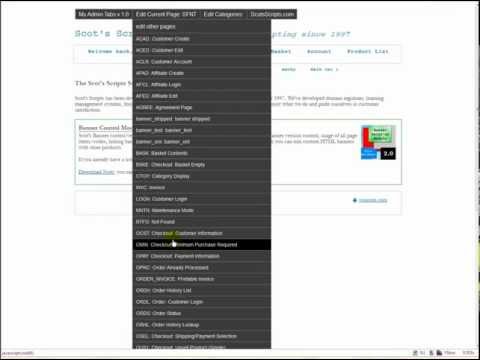
With this module, if you're logged into the "super user" account (it's the only account in the system that the links will show up for), you could save some steps in that process by clicking on a provided "edit current page" link, then when you were done, you would update it and then click a finished button which closes the edit window and automatically refreshes your storefront page.
If you're making a lot of edits, it saves time and makes the workflow seem less jumpy. I've been using it in my test store for the past two weeks on a development project and the times that I had to go back to the "old way" of doing it already seemed cumbersome.
I got the idea from wordpress where if you're logged into the administration, in certain themes the wordpress admin options will show up on the top of the screen.
In addition to being able to edit the store page you're looking at, you can choose from any of the pages, any of the categories (and/or current category), edit product, and then there's a miscellaneous drop down with various other store links, such as the utilities link, edit store, etc... basically the other stuff that's in the left menu.
I guess to sum it up, I'd say this module helps streamline your admin workflow, especially if you're doing a lot of going back and forth between browser windows.Leave a comment:
-
Re: My Admin Tabs by Scot's Scripts
Hi Scot
I am still a little unclear as to what this module does and it's benefits. What exactly doers it do?Leave a comment:
-
My Admin Tabs by Scot's Scripts
Just released a new module that puts store administration links in your storefront. This makes doing store edits and other similar work a lot faster because you're not jumping around to different windows or tabs.
It's easier just to see what it does. Here's a video of it in action:
Leave a comment: